


My Hospital Town Doctor Games
3.5298.00 Reviews
App Specs
- Version
- 3.2.7
- Updated On
- License
- Free
- Downloads
- 10,000,000+
- Developer
- Tizi Town Games
- Categories
- Educational
- Platform
- Android, iOS
Screenshots
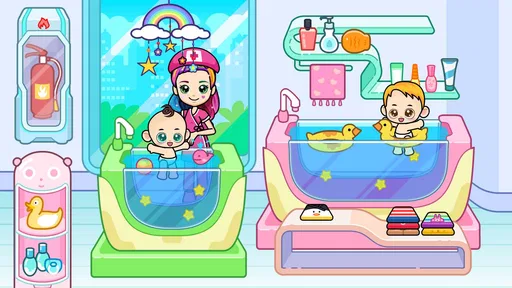
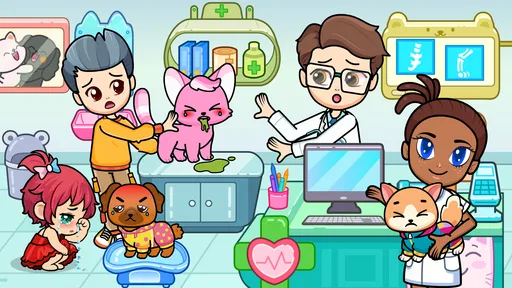
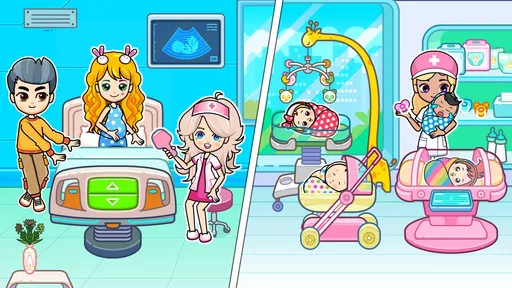
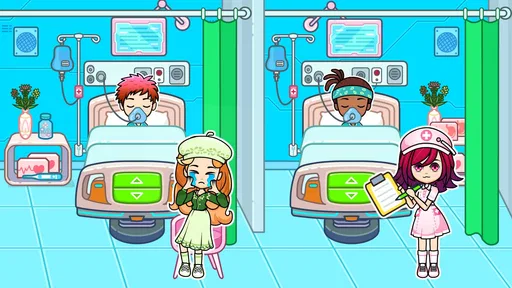
 Analysis by AppCompare
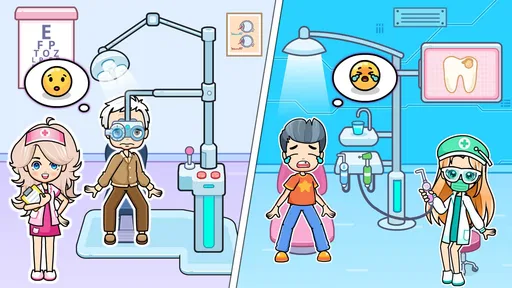
I would treat My Hospital Town Doctor Games as a light, child-friendly pretend-play game rather than a serious medical simulator. Its hospital setting gives kids familiar roles to act out, while the bright, cartoon-style presentation makes the world feel approachable. The idea is simple: explore a hospital town and imagine what happens when patients need help. That makes it an easy starting point for a first-time player, especially one who enjoys make-believe and everyday settings.
What to expect from a hospital-themed game
This is an educational game from Tizi Town Games, designed around playful hospital scenarios rather than realistic clinical training. I would set expectations accordingly: it is better suited to imaginative role-play than to learning medical facts or following a structured lesson. Kids can use the setting to invent their own stories, switch between characters, and decide what a visit to a hospital might look like in a friendly fictional world.
The game is free to download, with optional in-app purchases ranging from $1.99 to $9.99 per item. It is rated for Everyone, and the current version is 3.1.9; the game requires Android 7.0 or later. It has an average rating of 3.5 from around 22,000 ratings and has been installed over 10 million times. Those figures suggest a sizeable audience, but I would still judge it by whether its style suits the child who will play it. A popular game can still be the wrong fit for a particular family.
Making the first session feel easy
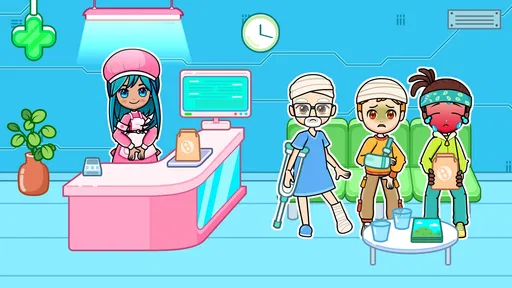
When you first launch the app, you're greeted with a vibrant and welcoming interface. The graphics are colorful and engaging, making you feel right at home in your new hospital town. It's like stepping into a cartoon world where everyone’s relying on you to keep things running smoothly. The controls are intuitive, which means you won’t need a medical degree to get started. Trust me, you’ll be managing your hospital like a pro in no time.
For a relaxed first session, I would sit with a child for a few minutes and let them explore at their own pace instead of turning the game into a lesson. Ask them to choose a character or invent a reason for a visit, then let them decide what should happen next. That small prompt can make the hospital setting feel less like a collection of pictures and more like a story they are directing. If the child prefers to tap around quietly, that is fine too; the main value here is open-ended pretend play, not getting every action “right.”
Finding a first satisfying bit of play
The most useful early goal is simply to make up and finish one small hospital story. A child might imagine someone arriving for help, decide which role to play, and then move on to a different part of the town when the scene feels complete. I like this kind of self-set objective because it gives a first-time player a sense of completion without requiring an adult to explain a complicated ruleset. It also gives a parent a natural way to join in: ask what the character needs, then follow the child’s lead rather than supplying all the answers.
For an everyday example, this could work as a short activity while waiting at home for dinner: a child chooses a character, acts out a visit, and then puts the device away when the story is done. I would keep the first session brief and see whether the child enjoys directing the play or wants more guidance. That is a better test of fit than expecting the game to hold attention for a long stretch. If the child becomes frustrated or starts tapping without interest, switching to a toy doctor kit, drawing, or another activity is a perfectly reasonable next move.
Worth Reading Before You Choose

EA SPORTS FC Mobile 26 Is a Bigger Football Game, but It Takes Time

Flipboard Shows What News Apps Must Do Beyond the Feed

Switching to Android Auto Means Rethinking Your Driving Routine

Google Calendar Makes a Crowded Week Easier to Manage

Ludo King Makes the Most of the Minutes Between Plans

Baby Panda World Brings Quick Play to Modern Phones, but Its Game Library Feels Busy
Exploring the hospital world
I’d use this section to help a first-time player treat the hospital as a setting for their own story, not a checklist of tasks to get through. A simple choice—who needs help, and who will play the doctor—can give the visit a satisfying shape without an adult directing every move. From there, the next question is whether the child feels comfortable with the hospital theme.
Gameplay: More Than Just Playing Doctor
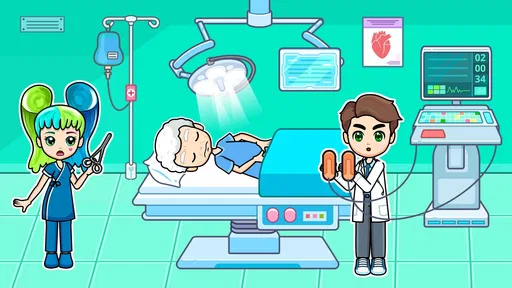
The core of My Hospital Town Doctor Games is all about multitasking. You’ll find yourself diagnosing patients, performing surgeries, and managing hospital resources. It’s a mix of strategy and role-playing elements that keeps the gameplay fresh and exciting. Each level brings new challenges, from handling a sudden influx of patients to upgrading equipment.
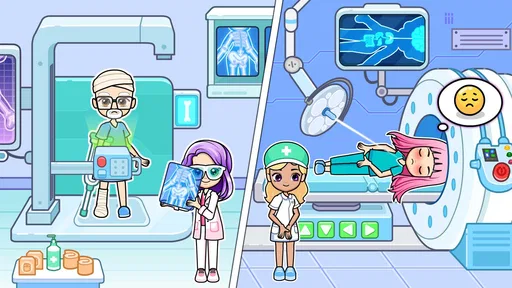
One of the features I absolutely loved is the variety of tasks you can perform. You’re not just stuck in one role. One moment you’re setting broken bones, and the next, you’re organizing a hospital gala to raise funds for new medical equipment. It keeps you on your toes and makes sure you’re never bored.
For parents, the practical question is whether the hospital theme is comfortable for their child. I would frame the activities as make-believe and check how the child responds to the idea of patients needing care. The cartoon presentation keeps the tone playful, but children vary in what they find reassuring. A child who likes caring for dolls or pretending to be a doctor may enjoy the setting; one who feels uneasy around hospitals may prefer a shop, home, or school role-play game instead.
Features That Stand Out
What sets this game apart from other simulation games is the attention to detail and the variety of features it offers. Here are a few that caught my eye:
- Customizable Hospital: You can design and expand your hospital just the way you like it. Want a cafeteria next to the emergency room? Go for it!
- Engaging Storylines: Each character has a backstory that unfolds as you progress. It adds depth and makes you care about the outcomes.
- Mini-Games: These are sprinkled throughout to break up the main gameplay. They’re challenging yet fun, perfect for when you need a quick break from running the hospital.
Where it fits among kids’ games
Compared with a medical game built around quizzes, anatomy facts, or step-by-step lessons, this one is more about imaginative scenes than demonstrating what a child has learned. Compared with a very open-ended toy or drawing app, its hospital theme gives play a clear starting point: someone needs care, and the child can decide how to respond. That structure can help a young player who likes pretend play but benefits from a setting and roles to spark ideas.
There is a trade-off, though. Families looking for a detailed hospital-management challenge, a carefully sequenced educational curriculum, or realistic medical procedures should choose a different kind of app. The appeal here is the make-believe atmosphere, not depth for older strategy fans. I would also avoid treating the game as a substitute for explaining real medical visits; its fictional scenarios are best enjoyed as play.
Social Features: Play with Friends
What’s a game without a little competition? My Hospital Town Doctor Games includes social elements where you can connect with friends, compare scores, and even visit each other’s hospitals. It adds a layer of friendly rivalry that keeps you coming back for more.
For a first-time user, I would begin with solo exploration before making social play the focus. That gives the child time to understand the setting and form their own idea of what to do, rather than feeling they need to keep up with someone else. If friends are involved, it can be more enjoyable to take turns inventing scenes or comparing what each person chose to do than to turn every visit into a competition. The social angle is a bonus for children who already enjoy sharing play, but it is not the main reason I would recommend the game.
Small trade-offs to keep in mind
One practical consideration is the presence of optional purchases in a game aimed at children. Before handing over a device, I would check the purchase settings on the device and agree on a simple rule: the child can explore, but any spending decision is for an adult. The game costs nothing to download, but the available purchases mean “free” does not necessarily describe every choice a family may encounter while using it.
Another limitation is that open-ended play depends on the child supplying some of the story. A player who wants clear instructions, a visible goal at every moment, or a strong progression system may find the experience less satisfying than a puzzle game with defined stages. If a child seems unsure what to do, try offering one imaginative prompt, such as asking who has arrived and what kind of help they need. If that still does not spark interest, the game may simply not match their preferred style.
Graphics and Sound: A Treat for the Senses
The visuals are bright and charming, which makes the game appealing to both kids and adults. It’s like watching your favorite animated series come to life. The sound effects and music complement the gameplay perfectly, creating an immersive experience that pulls you into the world of hospital management.
One thing to note is that the app runs smoothly on both Android and iOS, which is a huge plus. You won’t have to worry about glitches or crashes ruining your fun.
Choosing what to do next
Once a child has tried a few scenes, I would let their interests decide the next step. If they enjoy creating characters and stories, give them room to revisit the hospital and invent a new situation. If they gravitate toward arranging spaces, the hospital-customization element may be the part worth exploring further. If they mainly want to learn facts about the human body, pair their curiosity with a more lesson-focused resource instead; the role-play experience is not the same as a structured science activity.
Adults often wonder whether this is suitable for a quick distraction or whether it needs a long, guided session. I think it can be introduced in a short window, since the child can make a small story without needing to complete a long lesson. I would still stay nearby at first, particularly to help with purchase boundaries and to see whether the hospital theme feels fun to them. After that, the child’s own interest is the best guide to how often the game earns a place in their routine.
Another useful way to judge it is to watch what the child does after the screen goes off. If they carry the pretend scenario into play with toys or tell you what happened to a character, the game has given them an idea to build on. If they only tap through without making choices or enjoying the setting, there is little reason to push them to continue. That observation helps separate a genuinely engaging role-play experience from a game that is merely colorful on first opening.
A measured recommendation for the right player
If you’re a fan of simulation games, My Hospital Town Doctor Games is a must-try. Its engaging gameplay, charming graphics, and variety of tasks make it a standout in the app store. Whether you’re looking to kill time or dive into a world of medical adventure, this game has got you covered.
So, grab your virtual stethoscope and start building the hospital of your dreams. Who knows? You might just discover your inner doctor or hospital manager. Happy gaming!
My recommendation is warm but specific: I would try it for a child who likes caring roles, colorful settings, and making up stories, especially if an adult can help set boundaries around optional purchases. I would skip it for someone seeking serious hospital strategy, a guaranteed learning sequence, or realistic medical guidance. As a free, Everyone-rated game from Tizi Town Games, it is easy to consider for a casual first try; the best measure of success is whether the child leaves with a story they enjoyed telling.
Pros
- Engaging graphics and animations.
- Intuitive controls for easy gameplay.
- Educational content for young players.
- Frequent updates with new features.
- Safe for kids with no inappropriate content.
Cons
- In-app purchases can be expensive.
- Limited free content without upgrades.
- Ads can interrupt gameplay.
- Requires internet for some features.
- Lacks multiplayer options for interaction.
FAQs for My Hospital Town Doctor Games
What is 'My Hospital Town Doctor Games' about?
'My Hospital Town Doctor Games' is a simulation game that allows players to step into the shoes of a doctor and manage various aspects of a hospital. From diagnosing patients to organizing medical supplies, the game offers a comprehensive experience that combines fun with educational elements, suitable for all ages.
Is 'My Hospital Town Doctor Games' suitable for children?
Yes, the game is designed to be family-friendly and suitable for children. It offers an engaging environment where kids can learn about the medical field through interactive gameplay. Parents can feel confident that the content is appropriate and educational, encouraging creativity and problem-solving.
Does the game require an internet connection to play?
'My Hospital Town Doctor Games' can be played offline, making it accessible without an internet connection. However, certain features such as updates or social sharing may require connectivity. It's perfect for on-the-go entertainment without the need for constant internet access.
Are there in-app purchases available in the game?
Yes, 'My Hospital Town Doctor Games' includes optional in-app purchases. These can enhance the gameplay experience by unlocking additional content or features. Players can enjoy the core game without spending money, but additional purchases can provide extra benefits and customization options.
What devices are compatible with 'My Hospital Town Doctor Games'?
The game is available for both Android and iOS platforms. It is compatible with most modern smartphones and tablets, requiring the latest operating systems for optimal performance. Always check the specific app store listings for compatibility and system requirements to ensure a seamless experience.


